Trusted by 150,000+ event teams G2 4.8 ★★★★★ Capterra 4.8 ★★★★★ SOC 2 Type II View all features → Book a demo

Pricing
back-icon

Back to all posts

October 5, 2026

Save the date emails for your company holiday party – templates, timing, tips, and more

hero-image

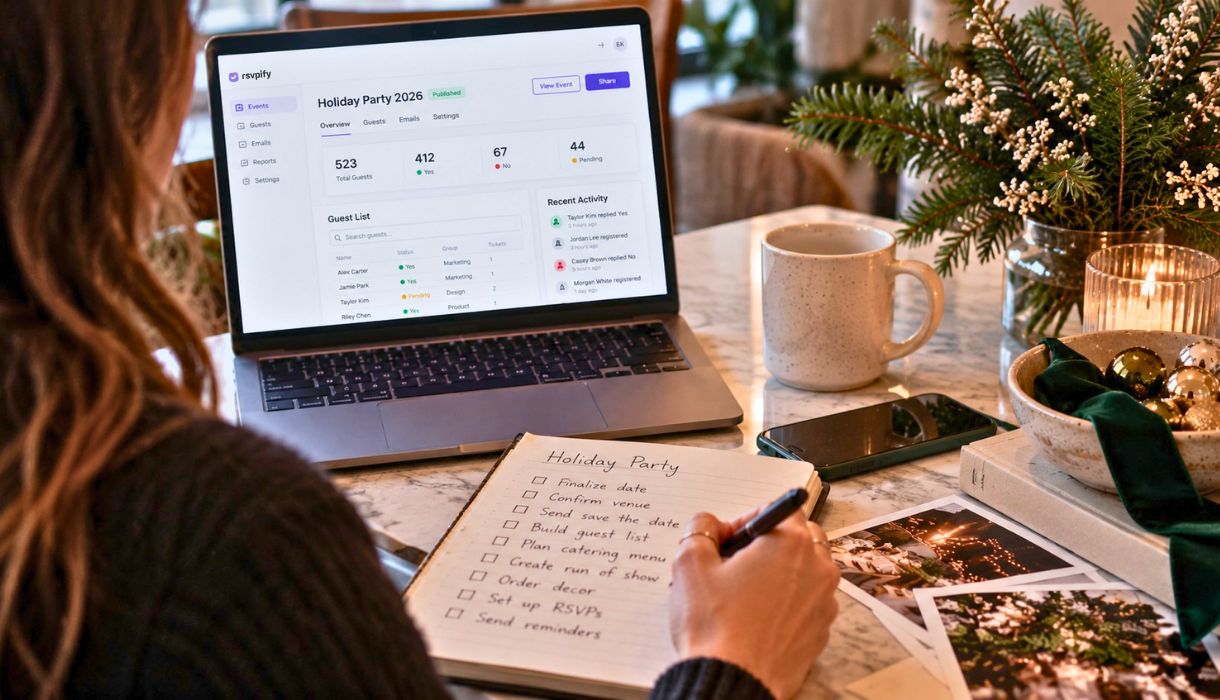
December calendars fill up fast. Between client dinners, family plans, and end-of-year travel, employees commit their evenings weeks in advance. A save the date email is the simplest way to claim a spot on those calendars before they close. Send one early, and the company holiday party stays a priority instead of a scheduling casualty.

In addition to the season being busy, RSVPify's data on event emails from thousands of events shows that there are real and fixed trends to sending event save the dates if you want a positive response. So beyond the basics of wording your holiday party save the date, you'll also want to consider timing, when to send reminders, and more. That's why we've got you covered in this guide - let's get into it.

What a save the date email is (the basics)

A save the date email is a short, early message that asks guests to reserve a specific date for an upcoming event. It does one job: lock in the date. It arrives well before the formal invitation and skips the fine print on purpose.

The formal invitation comes later. It carries the full details, including the venue address, agenda, dress code, menu, and the RSVP request. Think of the two as a sequence. The save the date reserves the calendar slot, and the invitation confirms the plan.

For work events, that head start matters more than it does for casual gatherings. Teams juggle deadlines, PTO, and competing holiday commitments. An early heads-up protects attendance and gives planners a realistic sense of turnout. Many organizers now use digital invitations for both stages, because email is, well, convenient, and digital save the dates offer tracking of who has seen it.

When to send your company holiday party save the date email (timing)

Timing decides whether the save the date works. Send it too late, and calendars are already booked. Send it at the right moment, and attendance climbs before the invitation even goes out.

Use this schedule as a baseline, then adjust for company size and season.

Communication When to send Purpose
Save the date email 6 to 8 weeks before the party Reserve the date early, before December fills up
Formal invitation 3 to 4 weeks before the party Share full details and open RSVPs
First reminder 1 week before the party Nudge anyone who has not responded
Final reminder 1 to 2 days before the party Confirm attendance and share logistics

December is the tightest month of the year for social calendars. Client events, school functions, and travel all compete for the same evenings. A save the date sent six to eight weeks out can help put your event front of mind among the onslaught of other holiday events. For larger organizations or destination parties, push toward the eight-week mark. Solid office holiday party planning starts with this timeline and works backward from the party date.

What to include in a save the date email for a work event

A save the date email for a work event stays short. It gives just enough to reserve the date and signals that more is coming. Use this checklist.

  • Event name: Name the party clearly, such as "[Company] Holiday Party 2025."
  • Date and start time: Lead with the date. Add the start time if it is confirmed.
  • City or venue teaser: Share the city or neighborhood. Save the exact address for the invitation.
  • Who is invited: State whether the party is for employees only, plus-ones, or families.
  • Plus-one or guest note: Set expectations early so guests can plan.
  • "Details to follow": Tell readers the full invitation is on the way.
  • A calendar or RSVP link: Add a placeholder RSVP or "add to calendar" link so guests can act now.

We saved the most important for last in the list. When guests can respond or save the event to their calendar in one click, planners get an early read on numbers. For practical ways to collect RSVPs online, start the response process at the save the date stage rather than waiting for the invitation.

Save the date email subject lines for the company holiday party

Especially in the days of AI outbound campaigns, subject lines are critical if you want attendees to actually open and see your save the date emails. Keep it short, specific, and scannable. Front-load the words "save the date" and the event so the point survives a crowded inbox.

Here are subject lines grouped by tone.

Straightforward

  • Save the date: [Company] Holiday Party, [Date]
  • Mark your calendar: [Company] holiday party on [Date]
  • [Company] Holiday Party 2025 - save the date
  • Reserve [Date] for the [Company] holiday party

Festive

  • The [Company] holiday party is coming. Save [Date]!
  • Deck the calendar: [Company] holiday party, [Date]
  • Cheers to the season. Save [Date] for our party.
  • Tinsel, treats, and [Company]: save [Date]

Teaser

  • Something festive is coming on [Date]. Details soon.
  • Clear your calendar for [Date]. You will want to be there.
  • Big plans for [Date]. Save the date, [Company] team.
  • The best night of the season lands on [Date]

Save the date email templates and examples

Let's make it easy on you. These save the date email examples are ready to copy, paste, and fill in. Each template stays short by design, because the full invitation carries the rest. For more festive language, browse holiday party invitation wording options and adapt them to the tone that fits the team.

Template 1: Classic corporate

Subject: Save the date: [Company] Holiday Party, [Date]

Hi [First Name],

Please save the date for the [Company] Holiday Party.

Date: [Date]
Time: [Start Time]
Location: [City or Venue]

A formal invitation with full details and RSVP will follow. We hope to celebrate the year with you.

Best,
[Organizer Name], [Team or Department]

Template 2: Festive and casual

Subject: The [Company] holiday party is coming. Save [Date]!

Hi [First Name],

The season is almost here, and so is our party. Save [Date] and get ready to celebrate with the whole team.

When: [Date] at [Start Time]
Where: [City or Venue teaser]

Expect good food, good music, and a great crowd. Full details and RSVP are on the way.

See you there,
[Organizer Name]

Template 3: Formal gala

Subject: Save the date: [Company] Annual Gala, [Date]

Dear [First Name],

You are invited to save the date for the [Company] Annual Holiday Gala.

Date: [Date]
Time: [Start Time]
Venue: [City or Venue]
Attire: Black tie

A formal invitation with the evening's program and RSVP details will follow. We look forward to celebrating with you.

Warm regards,
[Organizer Name], [Company]

Template 4: Hybrid and multi-office

Subject: Save [Date]: [Company] holiday celebrations across all offices

Hi [First Name],

Mark your calendar for the [Company] holiday celebration on [Date]. Each office will host its own gathering, with a virtual toast connecting everyone.

[City 1] office: [Venue]
[City 2] office: [Venue]
Virtual toast: [Time and Platform]

Watch for a location-specific invitation with full details and RSVP soon.

Cheers,
[Organizer Name]

To match these emails to the rest of the event, carry the same colors, logo, and theme onto a branded event website so every touchpoint feels like one polished experience.

How to send a save the date email (Outlook, and a better way)

Many teams start with the tools they already have. Here is how to send a save the date email in Outlook as a calendar event.

  1. Open Outlook and create a new meeting or event.
  2. Add the party name in the title, such as "[Company] Holiday Party - save the date."
  3. Set the date and start time so the event lands on each guest's calendar.
  4. Type the short save the date message in the body, including the city or venue teaser.
  5. Add recipients in the invitee field. Use Bcc-style distribution lists to keep addresses private.
  6. Send the invite, and guests can accept to hold the date.

That approach works for a small internal list. It also has real limits. Outlook offers no branded design, so the message looks like a routine meeting rather than an event. Accept and decline responses are not the same as a managed RSVP, and there is no easy way to track plus-ones, meal choices, or accessibility needs. Automated reminders are manual, and large sends from a personal mailbox can land in spam.

A dedicated event platform removes those limits. RSVPify sends email invitations with online RSVP, so the save the date, the invitation, and the responses all live in one place. Organizations can send white-labeled email invitations from their own brand, which improves recognition and deliverability. Automated reminders go out on schedule, so planners spend less time chasing replies.

Track RSVPs and manage the guest list after the save the date

The save the date is the first step. Once it goes out, the focus shifts to tracking responses and building an accurate headcount.

Real-time RSVP tracking shows who has responded, who is bringing a guest, and who still needs a nudge. Planners can filter the list, export it for catering, and follow up with non-responders in a few clicks. A company party is usually a private, invite-only event, so a controlled guest list keeps registration limited to invited employees and their approved guests.

On the night of the party, QR code check-in moves guests through the door quickly and records exact attendance. That data helps plan next year's event with confidence. Running the save the date, invitation, RSVPs, and check-in through one system lets a small team manage the whole event without stitching together separate tools.

Common save the date email FAQs

How far in advance should you send a save the date for a work event?

Send it 6 to 8 weeks before the party. December calendars fill early, so an earlier send protects attendance. For large or destination events, aim for the eight-week end of that range.

Do you need both a save the date and an invitation?

Yes, for most company parties. The save the date reserves the calendar slot early. The formal invitation follows with the venue address, agenda, dress code, and RSVP request. Together they give guests time to plan and planners a reliable headcount.

What should a save the date email say?

Keep it short. Include the event name, date, start time, and a city or venue teaser. Note who is invited, mention that details will follow, and add a calendar or RSVP link so guests can act right away.

How do you write a good save the date email subject line?

Lead with "save the date," the company name, and the date. Keep it under about 50 characters so it does not get cut off on mobile. Skip all-caps and spam-trigger words so the email reaches the inbox.

Are digital save the dates okay for corporate events?

Yes. Email save the dates arrive instantly, cost nothing to send, and track opens and responses. A branded, white-labeled email reads as professionally as print while giving planners live data to work from.

About the Author

Adam Hausman co-founded RSVPify in 2013 and has been passionate about event tech and ticketing software ever since. Also founder of Greenlight Growth Marketing, he holds degrees from Indiana University (BA English/Psychology 2008) and the University of Illinois-Chicago (M.Ed. Secondary Education 2012). He lives in Maine with his wife, 2 kids, and 2 annoying cats.

Stay ahead with RSVPify

Get the latest product updates, event planning tips, and industry insights — straight to your inbox.

You can unsubscribe at any time. Your email will only be used to send RSVPify updates and will never be shared.

bottom hero