A recognized leader in event technology
Award-winning event software.
RSVPify is honored to be recognized for its innovation, intuitive event software functionality, and exceptional customer support.



Top Rated on G2

4.7/5
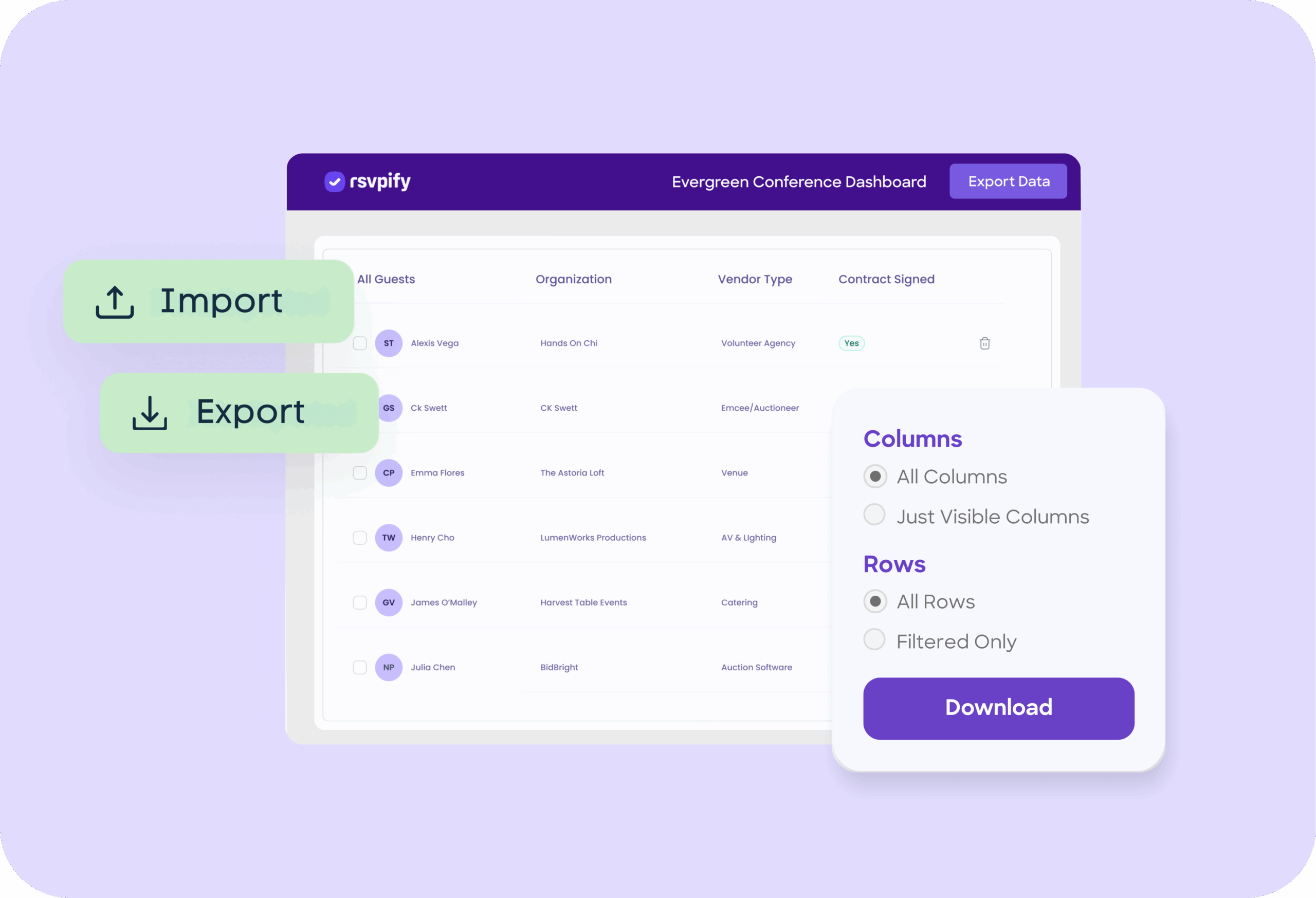
Import the guest data you already have and export registration, seating, email, and check-in data to CSV. Ready for any tool or report you use, or integrate directly with Salesforce or HubSpot.













Completely integrate your theme or your organization’s branding - not ours. Send branded event invites, design a custom event website, and more.

Collect payments + donations or manage event ticket sales easily. Create ticketing tiers, export event data for accounting, and receive funds within 48 hours.

From small VIP events to conferences, RSVPify scales up and down as needed. Add event collaborators to manage all organization events in one workspace.

Admit attendees using any Internet-connected device to create a seamless check-in experience. Create event badges or use self check-in kiosks.

Track RSVPs send targeted event comms.

Create online invitations or upload your own design.

Create smart pricing tiers and exclusive VIP offerings.

Use custom questions and form logic for curated registration experiences.

Let guests select multi-course meals and share dietary needs.

Manage invite-only sub-events with ease.

Hosting a private event? Keep it exclusive with advanced security.

Easily manage check-in from any device with RSVPify’s check-in system.
RSVPify is honored to be recognized for its innovation, intuitive event software functionality, and exceptional customer support.











You upload a CSV or Excel file into RSVPify and map each column to the appropriate guest fields. RSVPify’s import wizard helps you validate and preview data before completing the upload.
Yes. You can use imports to add new guests, update existing records, or correct data in bulk. RSVPify allows you to choose whether to overwrite fields or only fill in missing values.
You can export guest lists, RSVP statuses, ticket purchases, payments, donations, check-in data, seating assignments, meal preferences, and custom question responses.
Exports are available in CSV and Excel formats, making them easy to open in spreadsheet tools or import into CRMs, accounting systems, or reporting platforms.
RSVPify supports integrations through Zapier, Salesforce, Hubspot, Google Sheets syncing, and API connections for automated workflows. This allows data to flow into other systems without manual exports.
Yes. You can filter guests by RSVP status, ticket type, donor level, session attendance, meal preference, or any custom field before exporting.
RSVPify uses email addresses and unique identifiers to detect and prevent duplicates. You can review and resolve conflicts before completing the import.
Yes. All imports and exports occur within RSVPify’s SOC-2 certified secure environment and follow the same encryption and privacy standards as the rest of the platform.