A recognized leader in event technology
Award-winning event software.
RSVPify is honored to be recognized for its innovation, intuitive event software functionality, and exceptional customer support.



Top Rated on G2

4.7/5
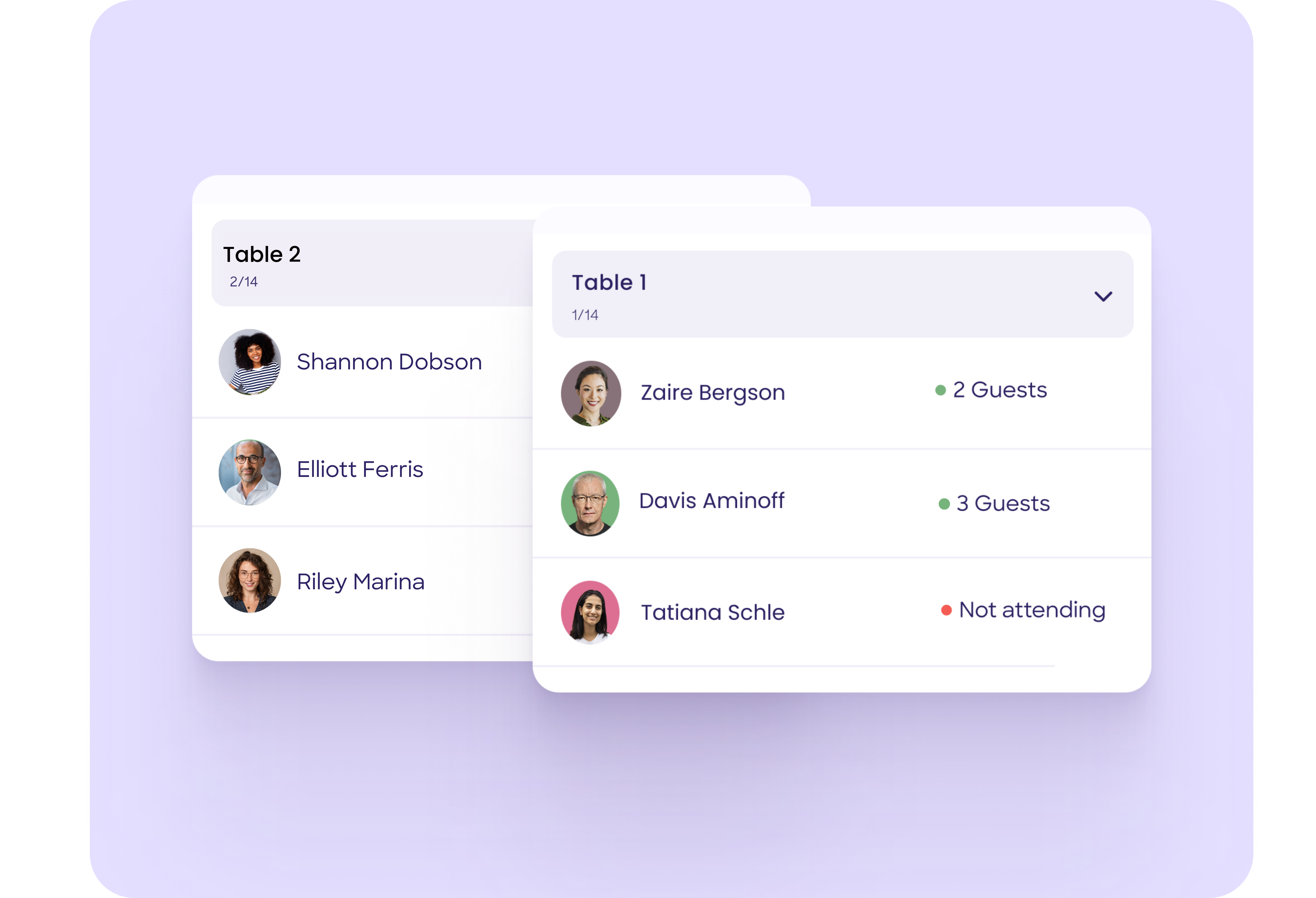
Drag guests to tables, filter by ticket type or tag, email everyone their seat assignment, and export the final chart for your venue and vendors.













Completely integrate your theme or your organization’s branding - not ours. Send branded event invites, design a custom event website, and more.

Collect payments + donations or manage event ticket sales easily. Create ticketing tiers, export event data for accounting, and receive funds within 48 hours.

From small VIP events to conferences, RSVPify scales up and down as needed. Add event collaborators to manage all organization events in one workspace.

Admit attendees using any Internet-connected device to create a seamless check-in experience. Create event badges or use self check-in kiosks.
Related content
Guides, comparisons and research from the RSVPify blog








Track RSVPs send targeted event comms.

Create online invitations or upload your own design.

Create smart pricing tiers and exclusive VIP offerings.

Use custom questions and form logic for curated registration experiences.

Let guests select multi-course meals and share dietary needs.

Manage invite-only sub-events with ease.

Hosting a private event? Keep it exclusive with advanced security.

Easily manage check-in from any device with RSVPify’s check-in system.
RSVPify is honored to be recognized for its innovation, intuitive event software functionality, and exceptional customer support.











RSVPify’s seating chart creator is a drag-and-drop tool that lets you assign guests to seats. It integrates directly with your RSVP list, making seating planning faster and more accurate.
Your guest list automatically syncs with the seating chart, including RSVPs, plus-ones, groups, meal preferences, and custom data. As guests respond or update their details, your seating chart is updated in real time.
Absolutely. You can assign guests to specific tables or individual seats, or you can create open seating sections where no assignments are required.
Yes. RSVPify allows you to view meal selections, dietary restrictions, accessibility needs, and custom fields directly within the seating chart. This makes it easy to seat guests in appropriate or coordinated locations.
Yes. Seating charts and table lists can be exported or printed for caterers, venue staff, planners, or check-in teams. Exports include table names, seat numbers, guest details, and any relevant notes.
Yes. When guests check in using RSVPify’s QR-coded tickets, staff can see assigned seats instantly. This helps direct guests quickly and avoids confusion at the venue.
Yes. You can create separate seating charts for different sessions, days, or rooms within the same event. This is especially useful for conferences, training programs, weddings with multiple segments, or gala programs.
RSVPify includes built-in day-of tools such as QR-code check-in, badge printing, and guest management. These streamline entry, reduce wait times, and help your team deliver a professional on-site experience.
Yes. The seating chart maker is included at no extra cost with RSVPify’s paid plans. You get unlimited charts, unlimited tables, and full customization without separate licensing or add-on fees.